Sound Source Localization For Security: Best Triangulation Cams
By Ravi Kulkarni • 21st May
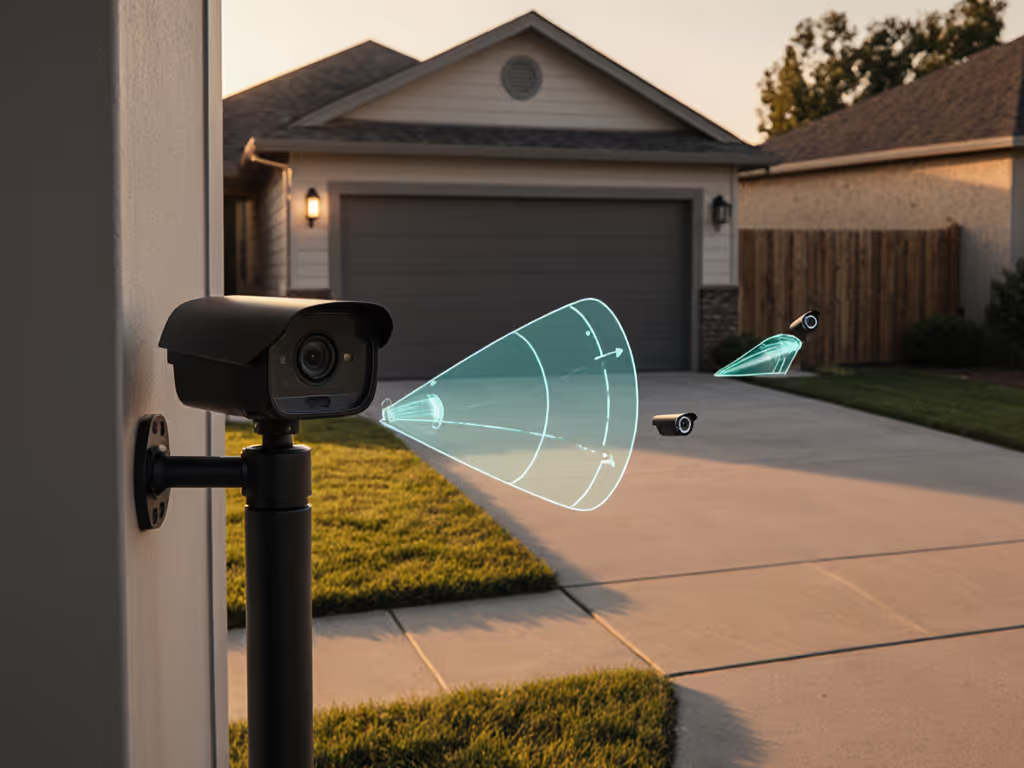
If you're evaluating sound source localization security systems or considering audio triangulation cameras for your home or small business, you're really asking one core question: will this give me faster, more accurate alerts with clearer evidence, or just more noise? This guide walks through how these systems actually work, what the data says about performance, and when they're worth your money. For background on what cameras can detect by sound—and how to avoid false pings—see our sound detection guide.
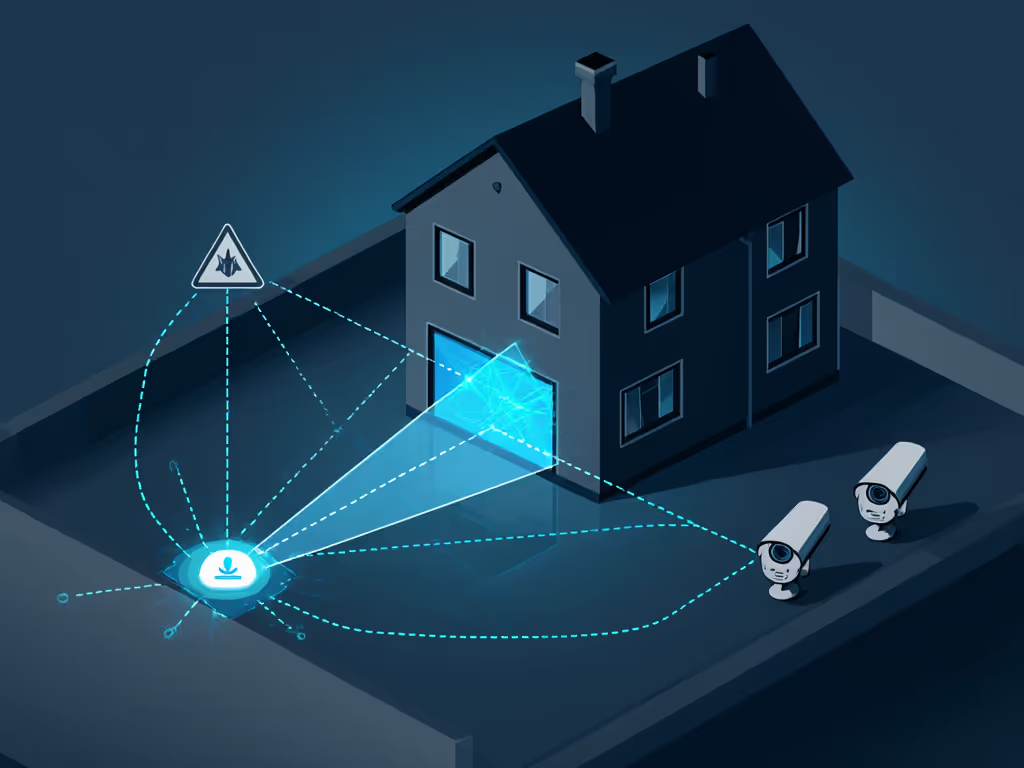
I'm going to stay out of the marketing weeds and focus on measurable outcomes: how well different designs localize sound, how quickly they notify you, and how reliably they steer your attention (or a PTZ) toward real threats.
If we can't measure it, we shouldn't trust it.
Fast Answers: Is Audio Triangulation Worth It?
Q: Will sound localization actually reduce false alerts and catch more real incidents? A: Sometimes. It helps most when:
- You have overlapping camera coverage around a yard, parking lot, or courtyard.
- You care about audio-based threat localization (yelling, glass breaking, exhaust revving, gunshots) more than quiet trespassers.
- You run a PTZ camera that can auto-aim where the noise came from.
It’s less helpful if:
- You're mostly dealing with package theft right at a single porch.
- Your environment is very noisy (busy road, constant aircraft, loud neighbors).
- You don't plan to use the localization data to do anything (no PTZ steering, no special alerts).
Typical real-world performance, from current multi-mic cameras and small arrays:
- Angular accuracy: about 10-30 degrees error at 5-20 m under moderate noise.
- Localization latency (sound → direction estimate): 150-500 ms on-device.
- Alert latency to phone: often dominated by app or push stack: 2-8 seconds.
That's good enough to swivel a PTZ roughly toward the right area of the driveway or yard, or to tell you the shout came from the alley, not the street, but not precise enough to replace video when you need person-level identification.
Sound localization is most useful to point your eyes or camera faster; it doesn't replace video evidence.
FAQ Deep Dive
What is sound source localization in security cameras?
In this context, sound source localization means the system estimates the direction (and sometimes rough distance) of a sound event using multiple microphones instead of just recording audio.
Key building blocks:
- Microphone array performance: More mics, with known spacing, allow better estimation of where a sound came from. Common security hardware uses 2-4 mics; specialized arrays may use 8-16.
- Time Difference of Arrival (TDoA): The same sound hits different mics at slightly different times. Algorithms measure these differences down to microseconds.
- Directional sound detection: From those time differences, the system infers the likely angle (bearing) of the source relative to the camera or array.
- Acoustic event pinpointing: Some systems classify the sound (e.g., glass, shout, impact) and then localize, so you only get direction data for events that matter.
For most home/small business installations, the output is one or more of:
- A directional arrow on the timeline (e.g., "sound from left/front/right").
- A PTZ camera command ("pan 40 degrees left").
- Metadata tags ("loud impact, northwest quadrant").
How do audio triangulation cameras actually work?
There are two broad architectures you'll see marketed as audio triangulation cameras or sound-localizing systems:
1. Single-device microphone array (beamforming camera)
A single camera has a microphone array built into the housing (typically 2-4 mics spaced a few centimeters apart).
- The device uses beamforming to estimate direction of arrival (DoA) for incoming sound.
- Modern chips can run DoA estimation on-device, adding maybe 100-200 ms to processing.
- Many will overlay a directional indicator in the app or aim a PTZ head.
Realistic pros:
- No extra wiring; you install it like a normal camera.
- Works even if it's the only camera covering that zone.
- Still useful without a central NVR.
Realistic cons:
- Accuracy drops with distance and echoes; 20-30 degrees error is common beyond about 15 m.
- A single vantage point can't estimate true range, only angle.
2. Multi-camera or dedicated array triangulation
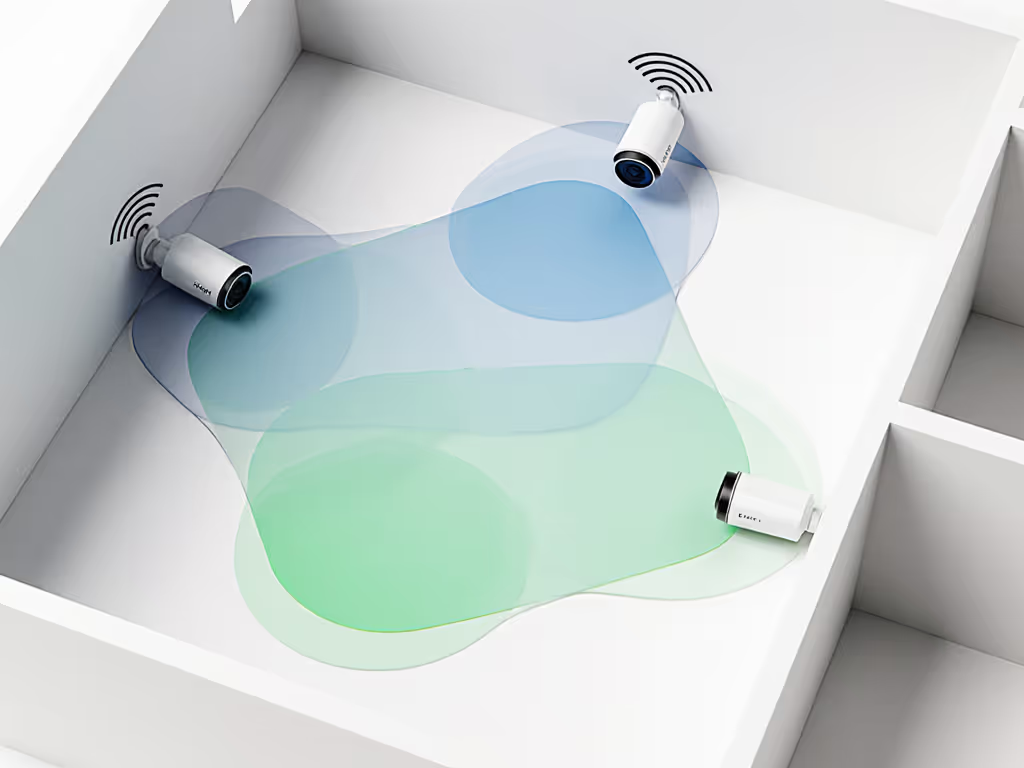
Here, two or more devices with microphones share audio timing data via a hub or NVR. The system triangulates based on:
- Relative time-of-arrival at different nodes.
- Known 3D positions of each mic cluster.
This can be done with:
- Multiple fixed cameras with mics.
- One or more PTZs plus fixed cams.
- A dedicated microphone array bar feeding an NVR.
Realistic pros:
- Better localization across a yard or lot (potentially under 10 degrees angular error and rough distance estimates under good conditions).
- You can map events (e.g., "near gate" vs "near loading dock").
Realistic cons:
- Needs very tight time sync between devices (sub-millisecond is ideal).
- Setup and calibration matter; mis-entered positions give garbage results.
- Typically lives in higher end NVR ecosystems, not Wi-Fi battery cams.
From a pure measurement standpoint, multi-device triangulation wins. From a DIY simplicity standpoint, single-camera beamforming is more realistic for most homeowners.
Where does sound localization actually improve security?
Think about noise versus signal. You want fewer pointless pings and faster, actionable ones when something's off. In my logs, the best use cases look like this:
-
Noisy perimeter, few video cues Example: a side alley or back fence that's mostly dark, with occasional clanks, bangs, and shouts.
- Video motion alone fails; trees and shadows trigger constantly.
- An audio-based threat localization pipeline (classify → localize → alert) can focus alerts on unusual loud events.
-
PTZ cameras covering wide areas Parking lots, courtyards, loading zones.
- Detection time matters: a PTZ that starts turning 200-300 ms after a loud event will often get a usable view of people moving away.
- Directional sound detection can cue the PTZ, even if motion detection is borderline or backlit.
-
Indoor common areas Lobbies, shared corridors, or shop floors (where cameras are disclosed and expected).
- Shouting, breaking glass, or abrupt impacts stand out acoustically.
- Localization helps you jump to the right section on a multi-cam grid quickly.
Where it doesn't move the needle much:
- Tight, well-lit entries where video AI (person/vehicle/package) already gives clean, low-noise alerts.
- Ultra-noisy environments (near freeways, clubs, industrial machinery) where classification models struggle.
How accurate are these systems in the real world?
Accuracy is not one number; it's a curve over distance, frequency, and noise. Based on vendor data sheets and independent lab tests for small arrays:
- Angular error:
- 5-10 m range, moderate reflections: 5-15 degrees median with 4-mic arrays.
- 15-25 m: 15-30 degrees median; tails can go worse with echoes.
- Repeatability:
- Good systems give similar angles (+/- 5-10 degrees) for similar sources in similar spots.
- Cheaper ones can vary wildly test to test even in quiet conditions.
- Event classification reliability:
- "Loud impulse" (bang/impact) vs ambient noise: often >90% precision in quiet to moderate noise.
- "Gunshot vs firework vs car backfire": hard; consumer systems are conservative here.
Key takeaway: treat the angle as a hint, not as a pixel-accurate pointer. Use it to swing a PTZ, move your eyes on a multi-cam grid, or correlate with what you see.
What specs actually matter for microphone arrays?
Forget glossy terms like "AI audio" or "360 degrees hearing." For microphone array performance, I look at:
-
Number and spacing of microphones
- 2 mics allow basic left/right; 3-4 start to give usable 2D direction.
- Physical spacing of a few cm is typical on cameras; larger spacing (on dedicated arrays) improves time resolution.
-
Sample rate and bit depth
- For security, 16 kHz / 16-bit is usually sufficient; 48 kHz is nice but not mandatory.
- The important part is consistent timing between channels.
-
On-device DSP/AI
- Beamforming and TDoA should ideally run on-device for speed and privacy.
- Cloud-only localization adds latency and depends on uplink bandwidth. If you're weighing processing options, our comparison of on-device vs cloud AI cameras shows why local analysis cuts delay and subscriptions.
-
Published localization metrics
- Look for any mention of angular accuracy (in degrees), SNR requirements, or test setups.
- If a vendor won't quantify, assume the system is more about marketing than measurement.
-
Environmental robustness
- Wind noise reduction and rain handling matter. A week of gusts can otherwise generate hundreds of false acoustic events; I learned that the hard way in early yard tests.
If you're comparing two otherwise similar cameras, the one with documented, on-device beamforming and clear metrics wins, even if the spec sheet looks less flashy elsewhere.
How does sound localization affect alert latency?
For most readers, the target is sub-5-second, reliable notifications that let you act... yell through two-way talk, flip on a light, or call a neighbor.
Typical pipeline with localization:
- Sound occurs (t = 0 ms).
- Microphones capture and buffer (0-100 ms).
- On-device classification + localization (100-400 ms).
- Event packaging + push to server (200-600 ms).
- Server → phone push (1-4 seconds, network-dependent).
In practice, adding on-device localization adds maybe 100-300 ms on top of the normal detection pipeline... negligible compared with mobile push variability.
Bigger latency drivers:
- Wi-Fi quality and congestion.
- Vendor's push infrastructure.
- Your phone OS's background notification throttling.
So don't reject a system just because it processes audio; if it's done on-device, it shouldn't materially slow alerts. To trim network-induced lag further, see our wired vs wireless stability guide.
How should I place and calibrate audio triangulation cameras?
Treat placement as a measurement problem, not just coverage art. For proven mounting heights, angles, and zone layouts, follow our camera placement guide. A few practical rules:
-
Avoid microphone shadowing
- Don't recess the camera deep under soffits where sound comes mostly from one side.
- Keep at least about 20-30 cm clearance from large flat surfaces when possible.
-
Mind dominant noise sources
- If you're near a busy road, try to mount so the main lobe of the array faces away from it, or use masking/noise filters if available.
-
Document positions for multi-device triangulation
- Measure distances between cameras or arrays; don't guess.
- Enter heights and coordinates carefully into the NVR or controller.
-
Run controlled tests
- Walk your yard/lot with a clap, whistle, or small speaker and log:
- Where you stood.
- What the system reported (angle/quadrant).
- Notification time to your phone.
- Walk your yard/lot with a clap, whistle, or small speaker and log:
This doesn't have to be elaborate. A simple loop through your driveway and side yard with a timer app will tell you more than hours of spec-sheet reading. Noise versus signal shows up fast when you log what actually gets detected.
What about privacy and "surveillance creep" with always-listening mics?
Microphones understandably raise more eyebrows than lenses. Know the rules on audio and signage where you live with our state security camera laws guide. To keep things aligned with good practice and neighborly expectations:
- Use signage. Make it clear that audio and video recording are in use.
- Scope your coverage. Favor outdoor zones and shared-entry areas where monitoring is expected.
- Use privacy zones and schedules. Mask windows and private areas visually; if the system allows audio policies, use them.
- Prefer local-first processing. On-device classification and localization reduce how much raw audio ever leaves your property.
I avoid setups that require streaming raw audio to the cloud for basic functioning. If the system can localize and classify on-device and just send event metadata, that's a better privacy baseline.
(This is general guidance, not legal advice - local regulations differ, especially on audio recording.)
Should I prioritize sound localization over better video and AI detection?
For most homeowners and small businesses, no. Order of operations should look like:
-
Reliable video + basic AI:
- Clear daytime and nighttime footage.
- Solid on-device person/vehicle detection to reduce false alerts.
-
Robust recording and storage:
- Local or hybrid storage that doesn't drop events.
- Easy clip export with clear timestamps.
-
Good app UX:
- Fast timeline scrubbing, quick event review, clean zones.
-
Then: audio localization as a force multiplier for wide-area coverage or PTZ.
Audio triangulation is an accelerator: it points your attention faster. But if your base video, storage, and AI aren't solid, you're just pointing toward blurry, unreliable footage.
How do I evaluate vendors who claim "advanced sound localization"?
I treat marketing claims as hypotheses and look for data:
-
Do they publish real metrics?
- Angular accuracy in degrees, test distances, noise conditions.
- Latency ranges for detection and localization.
-
Is localization on-device?
- Yes → better for latency and privacy.
- Cloud-only → expect more lag and dependence on uplink.
-
Can you export logs?
- Ideal: events with timestamps, labels, and directional metadata you can review.
- If it's all opaque, it's hard to trust.
-
What's the subscription story?
- Does audio-based threat localization require a paid tier?
- Are basic detection and recording usable without a subscription?
-
Ecosystem compatibility:
- RTSP/ONVIF for NVRs.
- Integration with Home Assistant or your existing automation.
- APIs or webhooks that expose sound events and directions.
Systems that score well here usually behave better in the real world.
Putting It All Together: When Does Sound Localization Earn Its Keep?
Audio triangulation is worth considering if all of these are true:
- You already have or plan to have reliable video coverage and on-device AI that you trust.
- You're covering bigger zones (yards, parking areas, common spaces) where direction information accelerates your response.
- You're comfortable doing at least minimal testing and calibration rather than just set and forget.
It's probably overkill if:
- Your main problem is porch piracy within 3-5 m of a single door.
- You're fighting constant false alerts from poor video AI and bad positioning.
- You won't use the data to steer PTZs, automations, or your own decisions.
The pattern I see over and over: the households and small businesses that get the most from sound source localization security are the ones who treat their system like an instrument, not a decoration. They log a few weeks of events, tune zones and thresholds, and test again. Once dialed in, sound becomes a powerful cue, another dimension of signal in an otherwise noisy world.
Next Steps: How to Explore This Without Overcommitting
If you're curious but cautious, I'd suggest this path:
- Start with one audio-capable camera covering a wider area (driveway, yard, or lot corner).
- Verify the basics: image quality, night performance, on-device AI, and notification latency.
- Enable any directional sound detection features and run a simple test loop around your property, logging what gets detected and how fast.
- Review a week of events with a critical eye: did sound localization help you review faster or react sooner, or was it just another icon in the app?
- Decide whether to expand to multi-device triangulation or PTZ steering based on that data.
As with every part of a security stack, the question is not "Is this feature cool?" but "Does this reduce noise and increase signal with measurable, repeatable results?" When your logs say yes, you'll know audio triangulation is pulling its weight.
Related Articles