Verkada Command Review: Blockchain-Verified Evidence Storage
By Naomi Feld • 16th Apr
I've watched footage from hundreds of security deployments, and I've learned a hard truth: Verkada Command review conversations rarely begin with "Did it identify the threat?" They begin with "Can I export it? Will it hold up in court? Does anyone else get a copy?" The difference between a surveillance system and actual evidence storage is exactly the difference between performance theater and usable proof. For a deeper look at immutable timestamps and cryptographic verification, see our guide to blockchain security cameras. After a midnight hit-and-run three blocks from my office, our neighbor's camera (balanced exposure, steady bitrate, clean audio, exportable files) gave police a readable license plate and timing. The responding officer called it boring. That was exactly the point.
Understanding Verkada Command: Architecture and Core Positioning
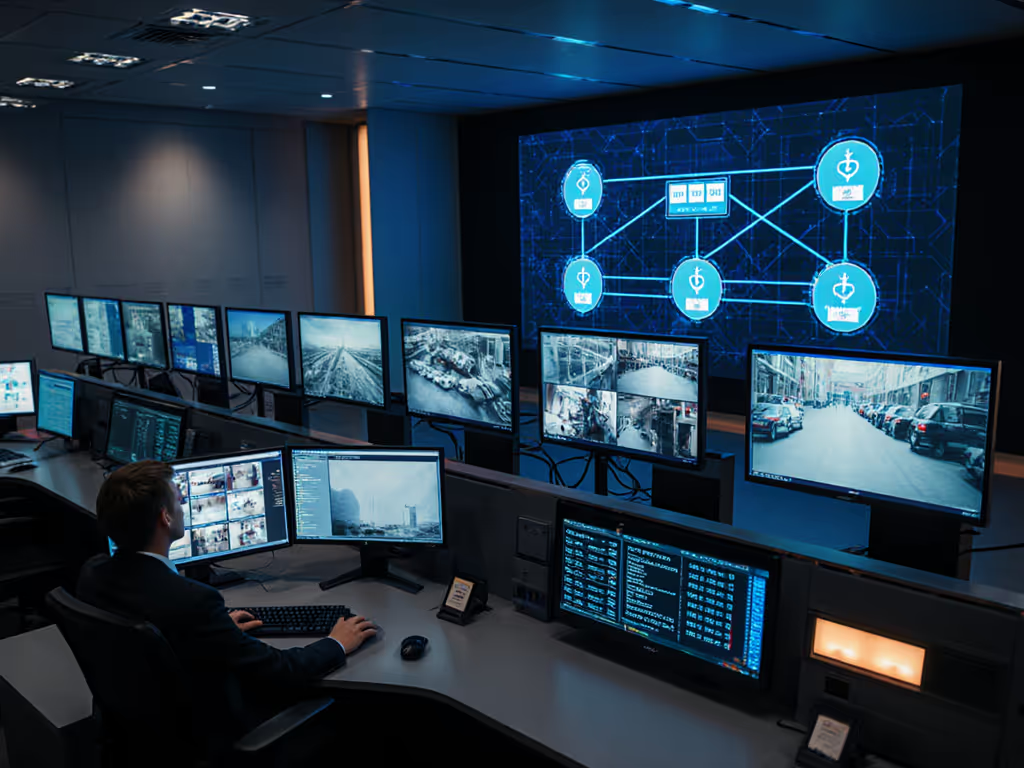
Verkada Command is a cloud-based security platform launched in 2016 that consolidates video surveillance, access control, intercoms, alarms, and environmental sensors into a single web-managed interface. Instead of fragmenting security across separate vendors (cameras on one NVR, access logs in another system, alarms somewhere else), Verkada's model is deliberate integration. Thousands of IT professionals now manage physical security across distributed locations from one dashboard.
The platform runs on Verkada's proprietary hardware and cloud infrastructure. Cameras sync automatically to Command, receiving continuous cloud-based updates that push new detection capabilities and security patches without manual intervention by your team. This matters because in fragmented deployments, one camera might be running week-old firmware while another is current, and nobody notices until an incident reveals the gap.
All monitoring, configuration, and incident response flow through the Command dashboard, accessible from desktop, web browser, or mobile device. The operational premise is clean: one interface for all devices, real-time status from anywhere, no context-switching between platforms.
Integration: The Foundation of Chain of Custody
Enterprise security verification is only as strong as your ability to correlate events across systems. A badge swipe at the lobby door becomes meaningful only when the timestamp matches the video at the same moment, and both match the alarm log. Segregated systems create islands of data that investigators must manually reconcile, or worse, data you can't reconcile at all.
Verkada's integrated model eliminates that friction. The ecosystem combines:
- Video surveillance with on-device AI-powered analytics detecting people, vehicles, motion patterns, and loitering behavior
- Access control that links entry and exit events directly to the same interface
- Intercoms and alarms triggered from unified rule sets
- Environmental sensors for environmental context (temperature, humidity, occupancy)
This coherence directly addresses a failure mode I see repeatedly: evidence gaps. When access control logs a badge swipe but the camera is on a different time server, you've already compromised your chain of custody. When an alarm triggered at 14:32 but your video timeline is off by three minutes, you've created reasonable doubt. Verkada's architecture collapses these vulnerabilities because all systems share the same cloud infrastructure, timestamp source, and audit framework.
For organizations managing evidence that will face legal scrutiny (a slip-and-fall claim, an employee dispute, a break-in under investigation), this integration isn't a luxury feature. It's foundational.
Video Quality and Identification Capability
One consistent thread in Verkada's reviews: footage quality holds up to magnification. Users report high-resolution video feeds that allow zoom without loss of critical detail. In practical terms, that means a face remains identifiable when enlarged, a license plate remains readable at 40 feet, and clothing patterns stay distinct enough for comparison. These aren't abstract metrics; they're the difference between evidence a police officer can use and footage that only you recognize as "that suspicious person."
Verkada's multisensor cameras include on-device AI detection built directly into the camera hardware. This means people, vehicles, and specific motion patterns are identified at capture time, not sent to a cloud service for processing. The latency advantage is real: alerts reach you milliseconds faster. The operational advantage is greater: fewer false triggers from passing vehicles, tree movement, or rain because the detection logic can distinguish a person silhouette from environmental noise before notifications fire.
For audiences exhausted by alert fatigue (homeowners triggered by headlights reflecting off the driveway, business owners alarmed by every delivery truck), on-device detection is a material quality-of-life improvement. You stop ignoring notifications because the signal-to-noise ratio improves dramatically.
What often goes unspecified is low-light performance under realistic conditions: a face backlit by porch lighting, a figure moving through shadows cast by yard lighting, a vehicle pulling into frame at dusk with mixed tungsten and daylight in the same scene. These are the conditions where many cameras collapse into unusable silhouettes or washed-out glare. For realistic expectations in mixed lighting, review our IR vs color night vision tests. Balanced exposure, preventing crushed blacks and blown highlights simultaneously, is the hard part. Until you test footage captured in your exact environment, at your exact times of day, under your specific lighting conditions, specification sheets remain speculation. I've reviewed too many night vision feeds with crushed detail and IR wash-out to assume any vendor nails it automatically.
Cloud Infrastructure and Evidence Permanence
All recordings, access events, and system logs funnel into Verkada's cloud infrastructure with automatic timestamping and persistence. This is a structural advantage over on-premises NVRs vulnerable to power loss, physical damage, or theft. It's also an advantage over local storage schemes where microSD cards fail silently and recorded clips disappear into file system corruption.
For evidence chain of custody, cloud permanence creates specific guarantees:
- Timestamps are verified across all sources, not "we hope the camera's time is close"
- Access logs persist independently of any single location's infrastructure
- Recording continues if your site loses power or internet connectivity fails (assuming cloud buffering exists, more on that shortly)
- Audit trails are automatic; every access to recorded footage is logged, showing who viewed what and when
These guarantees matter when a lawyer asks: "Can you prove this footage wasn't altered or deleted?" A cloud-based system with automatic logging provides a defensible answer. Your local NVR in the back office cannot. We break down reliability, cost, and outage resilience in cloud vs local storage.
However, cloud dependence creates a different risk. Your footage lives on Verkada's servers. If Verkada goes out of business, if they change their data retention policy, if a regulatory directive forces them to delete data, you have leverage only as a contract holder, not as a physical owner. For organizations bound by data residency laws or strict data governance policies, this can be a deal-breaker. The company emphasizes a cloud-first architecture, but details on a full local-only recording option are not always clear. If your compliance requirements forbid cloud storage entirely, ask directly: does Verkada support offline, local-only recording that you can audit physically?
Detection Accuracy and the False Alert Problem
Verkada's AI-powered multisensor cameras detect people, vehicles, motion, and loitering. On-device processing means detection happens locally without cloud latency. For security applications, that speed matters: an intruder alert that reaches you instantly beats one that arrives after the intruder is already inside.
In real deployments, detection accuracy directly impacts operational costs. False alerts trigger unnecessary investigations, dispatch responses, neighbor complaints, and, in some jurisdictions, false-alarm fines. An organization running hundreds of cameras cannot afford a 20% false positive rate; the overhead becomes unsustainable.
Verkada's reviews are cautiously optimistic on this front. Hardware is praised; some users specifically note quality video feeds enabling clear identification. Others emphasize the simplicity of the Command interface and the integration of all modules into a unified dashboard. But here's where I must be frank: independent third-party testing data on false positive rates, performance across lighting conditions, or robustness against edge cases like wildlife, precipitation, or reflections is not widely published. Some have noted that despite excellent hardware, the software has "holes," suggesting that capable sensors can be hobbled by imperfect processing logic. Until I see empirical testing under real-world conditions (rainy nights, backlighting, fast-moving subjects, animals), I'm not certifying detection performance as exceptional, only as probably better than basic motion-triggered systems from five years ago.
Exportability and Evidence Format
Here's where Naomi's core principle applies directly: Readable beats remarkable. A surveillance platform can have the fanciest AI dashboard on Earth, but if you can't export footage in formats that police departments accept, insurance adjusters understand, and legal teams can use in discovery, it's not evidence. It's entertainment.
Verkada Command allows users to monitor and manage security from the web-based dashboard and pull exported clips. It isn't always clear which formats are supported (MP4, MOV, MKV, etc.) or how easily clips can be segmented and shared. For organizations that regularly need to provide footage to law enforcement, insurance companies, or legal counsel, this detail is critical. A format that requires proprietary software to open is a liability. A format that plays on any standard media player is what wins in court. When you need to share evidence, follow our checklist on how to submit security footage so police and insurers can use it immediately.
Ask Verkada directly: what export formats do you support? Can I export with metadata embedded (timestamps, camera ID, resolution)? Can I export clips programmatically via API, or only through the dashboard? If your workflow requires bulk export or automated discovery processes, the answers to these questions determine whether Verkada fits.
Centralized Management and Configuration Consistency
Verkada's multi-location management model (one dashboard for dozens or hundreds of sites) appeals to IT teams managing distributed infrastructure. But there's a less obvious benefit for evidence preservation: configuration consistency.
A fragmented deployment where each location has different bitrate settings, different recording modes, or different detection sensitivity creates apples-to-oranges evidence. One location captured at 4 Mbps; another at 1 Mbps. One records 24/7; another only during motion. When you're building a case or explaining findings to external parties, consistency strengthens credibility. Verkada's centralized policy model enables you to enforce uniform settings across all deployments. Every location records at the same bitrate. Every camera uses the same detection thresholds. Every export happens in the same format. That uniformity, while unglamorous, is exactly what evidence requires.
Support Availability and Incident Response
Verkada advertises 24/7 support availability. For enterprise deployments, that's essential. What isn't always detailed is incident response time. When a security event occurs and you need to validate that recording was active, confirm a time-stamped clip, or troubleshoot a connectivity issue during the critical first hours, what's the actual response SLA?
Some users have expressed frustration with software reliability despite strong hardware, hinting that support quality may vary. Before deployment, request references from organizations similar in scale to yours and ask specifically: "What was the response time when we had a security incident outside business hours?" Support excellence during calm times is table stakes. Support excellence during emergencies is what separates vendors that matter.
Transparent Limitations and Open Questions
I need to be frank about what is not always addressed:
Bandwidth and infrastructure requirements. How much upload bandwidth does Verkada Command require for reliable cloud sync? What happens if your internet connection is unstable? Does the system buffer locally and catch up, or do you lose recordings during outages?
Local recording fallback. If cloud connectivity fails, does the camera continue recording locally? If so, where? To onboard storage? If onboard storage fills, does the oldest footage get overwritten? What's the buffer capacity?
Data retention and compliance. What's Verkada's default data retention policy? How long is footage kept? Can you delete it manually, or is it subject to their retention rules? If you cancel your subscription, what happens to stored footage?
API depth and third-party integration. If you want to ingest Verkada footage into a custom evidence management system or pull archived clips programmatically for legal discovery, how capable is the API? Does it support real-time event streaming? Bulk export?
RTSP/ONVIF compatibility. Verkada's proprietary model may limit integration with open standards. To avoid vendor lock-in in future expansions, see our guide to ONVIF compliance. Can you pull video streams via RTSP for backup recording on your own infrastructure, or are you locked into Verkada's cloud pipeline?
These gaps aren't criticisms; they're due-diligence questions you must answer before deployment.
Addressing Core Audience Pain Points
Your organization likely prioritized:
High alert accuracy reducing false dispatch. Verkada's on-device detection improves this, though empirical data is limited. Start with a pilot to validate false positive rates in your environment.
Reliable notifications reaching you quickly. Cloud architecture enables this if your internet is stable. Test from multiple network conditions before full deployment.
Nighttime footage that's actually readable. The praise for zoom clarity is encouraging; low-light specifics remain unclear. Request test footage from a deployment in similar lighting conditions.
Clear, searchable evidence with timestamps. Verkada's platform is designed exactly for this. The integration between video and access logs matters. Confirm export capabilities match your workflows.
Transparent total cost of ownership. Cloud storage and support pricing can be unknowns. Get a detailed cost model including multi-year projections.
Scalability without lock-in. Verkada's proprietary model may limit expansion flexibility. Ask about upgrade paths and interoperability.
Final Verdict: When Verkada Command Makes Sense
Verkada Command review conclusions depend on your context. For enterprises wanting a unified, cloud-managed security ecosystem, with video, access control, alarms, and sensors all orchestrated from one dashboard with 24/7 support and automatic redundancy, Verkada delivers a coherent architecture. The hardware is respected, and the platform design is sound for centralized oversight and evidence preservation.
For organizations prioritizing tamper-proof business surveillance and reliable evidence chain of custody, Verkada's cloud-based infrastructure with automatic timestamping, integrated access logs, and persistent audit trails provides a credible foundation. The integration between systems matters. The automatic updates matter. The centralized configuration and policy enforcement matter. These aren't flashy features, but they're what wins disputes, satisfies auditors, and survives legal scrutiny.
However, this is an enterprise-scale, cloud-dependent system. It's incompatible with organizations requiring full local control, offline recording, or minimal subscription overhead. Some reports hint at software reliability concerns despite solid hardware, a detail worth investigating directly with current customers who've deployed at scale.
Clarity plus context turns video into evidence when minutes matter most. Verkada Command's architecture supports that principle. Whether its execution in your specific environment delivers it requires due diligence beyond marketing claims: test in your lighting conditions, validate detection accuracy against your environment, confirm export workflows match your evidence procedures, and verify support responsiveness with references from deployments similar to yours.
Readable beats remarkable. Verkada's strength is boring reliability and integrated coherence, exactly what evidence preservation requires.
Related Articles