Smart Home Energy Integration: Which Cameras Actually Deliver
By Marisol Gomez • 6th May
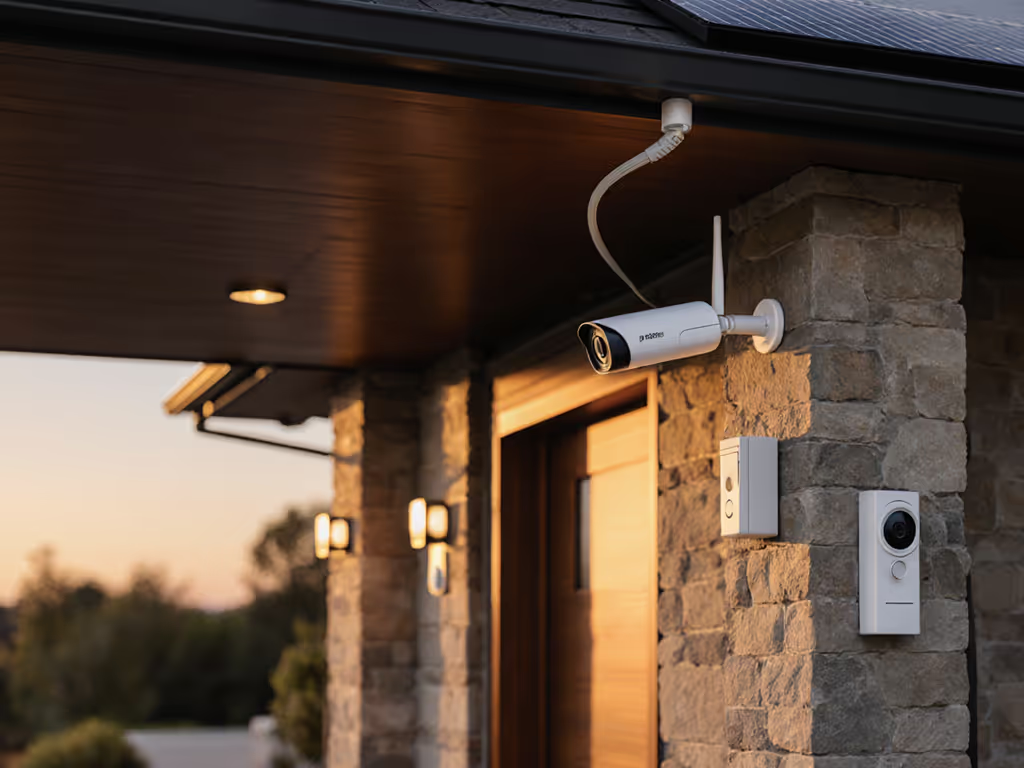
When you're evaluating energy management security cameras and smart home energy integration, the conversation usually stops at image quality and detection accuracy. It shouldn't. The real story lives in your electricity bill, your subscription calendar, and the honest accounting of what each camera actually costs to own and operate over three years.
Most homeowners approach this backwards. They pick a camera for its features, then bolt it into their smart home ecosystem and hope the energy math works out. It rarely does. I've mapped hundreds of installations, and the pattern is consistent: the lowest-sticker-price camera becomes the highest-cost camera when you factor in power draw, battery replacements, cloud subscriptions, and the friction of managing a system that either drains your Wi-Fi or your patience.
This isn't theoretical. I once worked with a small business owner who installed four "budget" wireless cameras to monitor their cafe entrance and HVAC equipment room. Within eighteen months, he'd spent more on battery replacements, SD card failures, and subscription tier escalations than a hardwired setup would have cost outright. He had to reframe the question entirely: not "What's the cheapest camera?" but "What delivers reliable evidence at the lowest total operating cost?" That reframing changed everything.
The Energy Math Behind Camera Choices
Let's ground this in numbers. Energy usage monitoring for security cameras breaks down into three categories: the camera's continuous draw, peak load during events, and ancillary costs like cloud storage and AI processing.
A PoE (Power over Ethernet) camera draws between 5 and 15 watts continuously, delivered through the same cable as the network signal. Annual energy cost: roughly $5 to $15 per camera, assuming $0.12 per kilowatt-hour.
A Wi-Fi battery camera might pull 2 to 4 watts during operation, but batteries die, typically after 6 to 12 months depending on climate, motion frequency, and night vision use. Each replacement costs $40 to $120. In a three-year window, you're replacing them 2 to 3 times. That's $80 to $360 per camera in battery costs alone, plus the environmental overhead of proper disposal.
A solar-powered camera sounds efficient until you map the reality: panels degrade, inverters fail, and in climates with poor winter sun or frequent overcast days, they rarely sustain the camera without a battery backup. For real-world performance data, see our solar camera battery life tests. You've essentially added cost and complexity without eliminating the battery problem.
Subscriptions multiply quietly; math keeps you safe over time.
Now layer in the subscriptions. A camera with AI person-detection (one of the most useful features for cutting false alerts) often requires a $3 to $15 monthly cloud subscription. Over 36 months, that's $108 to $540 per camera. Some systems bundle this; others don't. The "affordable" camera that seemed like a steal at $80 now carries a shadow cost of $200 to $600.
PoE vs Battery vs Solar: True Operating Costs
Let's build a transparent comparison table. Assume four cameras, three-year lifespan, and a homeowner who values both reliability and reasonable power consumption.
Scenario 1: Four PoE Cameras with Local NVR
- Hardware: $320 (cameras) + $400 (NVR + PoE switch) = $720
- Installation: $300 to $800 (cable runs, power planning)
- Energy: 4 cameras × 10W × 24 hrs × 365 days × 3 years × $0.12/kWh ≈ $105
- Subscriptions: $0 (local storage, on-device AI)
- Battery replacements: $0
- Total 36-month cost: $1,125 to $1,625
- Outcome: Offline-capable, deterministic reliability, minimal vendor lock-in
Scenario 2: Four Wi-Fi Battery Cameras with Cloud AI
- Hardware: $400 (cameras) + $0 (no hub) = $400
- Installation: $50 (mounting, minimal wiring)
- Energy: Minimal grid draw, but battery replacements 2.5 times per camera = $360 in batteries
- Subscriptions: $10/month × 36 = $360
- Cloud storage overage charges: $5 to $15/month in typical setups = $180 to $540
- Total 36-month cost: $1,300 to $1,660
- Outcome: Easier initial setup, cloud dependency, higher per-incident friction if cloud goes down
Scenario 3: Mix (Two PoE + Two Battery Cameras)
- Hardware: $250 (PoE cameras) + $200 (battery cameras) + $300 (modest NVR) = $750
- Installation: $200 (light cable work)
- Energy: PoE draw + battery replacements (1.5 per battery camera) = $50 + $180 = $230
- Subscriptions: $5/month for hybrid cloud AI + local fallback = $180
- Total 36-month cost: $1,360
- Outcome: Flexibility in placement, moderate complexity, balanced resilience
What these scenarios reveal: the cheapest upfront choice rarely offers the lowest 36-month cost, and the "most convenient" setup often hides the largest subscription trap. When you cut through marketing, the math is ruthless.
Integration with Smart Home and HVAC Systems
HVAC security integration deserves specific attention because it's where energy management cameras add genuine value beyond traditional surveillance.
A camera positioned to observe your HVAC unit or furnace room can flag maintenance issues, such as rusted condenser fins, refrigerant leaks, or unauthorized equipment access, before they become expensive repairs. Combined with a local NVR and automation logic, a smart home energy integration can alert you if motion is detected in an HVAC zone after hours, or if someone tampers with the thermostat cabinet.
But here's the catch: this integration only works cleanly if your cameras support power consumption analytics and automation APIs. Most cloud-only systems don't. They were designed for perimeter monitoring, not system-of-systems logic.
PoE cameras with open standards (RTSP, ONVIF, or native Home Assistant support) integrate far more smoothly with energy monitoring platforms. Your NVR can trigger a heat pump diagnostic, or your energy dashboard can flag anomalies in correlation with camera events. A battery camera sending snapshots to a proprietary cloud service? That remains siloed, unable to participate in your sustainable home automation strategy.
If you want real integration, you need hardware that speaks open protocols and local-first architecture. Cloud-first systems pose a hard ceiling on what's possible.
The Hidden Cost Multiplication
I've seen this pattern enough times to call it predictable: a homeowner buys a cheap wireless camera to "try it out," finds it convenient, then buys three more. Each camera has a separate subscription tier. Storage fills faster than expected, triggering upsells. The phone app is slow, so they buy a hub to improve performance. A firmware update breaks compatibility, requiring a workaround purchase. Each individual expense is small, but the compounding effect is brutal.
Cut noise, keep outcomes.
That's the discipline required to avoid cost multiplication. It means making a single deliberate choice upfront (PoE with local storage, or cloud with full transparency on costs) rather than drifting into a hybrid nightmare where you're paying for redundant features and locked into vendor roadmaps.
Comparing Real-World Scenarios
Let's ground this in actual use cases.
Scenario: Suburban homeowner with 2,000 sq ft property, moderate crime in area, works from home
This person values quick alerts and usable nighttime footage. They have Wi-Fi coverage outdoors but want redundancy. Their HVAC is integrated with their smart thermostat.
- Recommendation: 3-4 PoE cameras with local NVR, optional cloud backup
- Why: Reliable notifications, no subscription trap, on-device AI reduces false alerts, integrates cleanly with smart thermostat logic, clear ROI over 3 years
- Energy overhead: ~$40/year, acceptable against the redundancy gain
Scenario: Urban apartment dweller, HOA restrictions, rental property with short-term guests
This person can't run cables, needs flexibility, wants guest access without sharing credentials. If you're renting, start with our no-drill renter security guide.
- Recommendation: 1-2 battery cameras with open cloud API (not proprietary), local storage fallback if possible, scrutinize subscription terms
- Why: Complies with installation limits, but demands transparent subscription cost and data handling
- Trap to avoid: Proprietary ecosystems that lock in to monthly AI fees and force cloud backup
Scenario: Property manager with five rental units, need for audit trail and HVAC monitoring
This person needs scalability, legally defensible evidence, and integration with maintenance systems.
- Recommendation: PoE backbone with local NVRs at each property, ONVIF-capable cameras, integration with property management API
- Why: Cost scales predictably, no surprise subscription creep per unit, evidence is admissible, energy consumption is documented and budgeted
- Energy planning: PoE runs can be fed from existing electrical infrastructure; power draw is stable and forecastable
What Actually Delivers Value
After years of mapping true costs, these factors predict long-term satisfaction:
- Deterministic operating costs. You know the total cost before you buy. No surprise tiers, no "basic features now cost extra," no batteries that fail outside the warranty window.
- Offline resilience. If your internet drops or the cloud service degrades, your cameras still record and alert locally. Not sure which storage approach fits your resilience goals? Compare cloud vs local storage trade-offs. This separates tools from toys.
- Open protocols. RTSP, ONVIF, or native Home Assistant support means you're not betting your integration strategy on one vendor's roadmap.
- Energy transparency. The system publishes how much power each camera draws and what impact it has on your smart home ecosystem. This lets you plan sustainable home automation, not guess.
- Honest subscription terms. If AI costs money, say so. If local storage is free but cloud backup costs extra, make it obvious. Don't bury tier escalations in small print.
- Audit-ready evidence. Timestamps are consistent, footage is watermarked, exports are in standard formats. Your evidence isn't trapped in a proprietary player.
Systems that check all six boxes cost more upfront but deliver dramatically lower total cost of ownership. The math isn't subtle once you run it.
Your Action Plan
Here's how to move forward:
Step 1: Map your property and priorities. Where do you need coverage? Are there Wi-Fi dead zones? Can you run ethernet, or are you constrained to wireless? What's your honest appetite for cloud dependency?
Step 2: List your energy goals. Are you integrating with smart thermostats or HVAC monitoring? Do you want power-consumption data to feed into your home energy dashboard? This answer determines hardware architecture.
Step 3: Calculate 36-month cost for three candidate systems. Don't skip subscription costs or battery replacement cycles. Use the scenarios above as templates. Write it down; don't estimate in your head.
Step 4: Test for vendor lock-in. Can you export footage from each candidate system? Is the AI dependent on cloud processing, or is it on-device? If you switch camera brands later, do your integrations break? These questions reveal hidden costs.
Step 5: Make one deliberate choice. Commit to PoE or cloud; don't drift into a hybrid that costs more than either. Set a subscription budget and stick to it. Audit your setup after one year to catch cost creep.
The best camera system isn't the flashiest or the cheapest. It's the one where the math holds up under scrutiny, where energy costs are accounted for, and where three years from now you're not explaining to a spouse or auditor why you're paying $500 in annual subscriptions for a camera that cost $100 to buy. That clarity, where total cost per verified incident is knowable, minimal, and sustainable, is what separates genuine security from an expensive convenience that keeps billing you for the privilege of ownership.
Related Articles